"Which is the best AI voice generator?" is the wrong question, and any list that answers it with a number one is probably ordered by commission. The useful question is a different one: what are you going to produce?
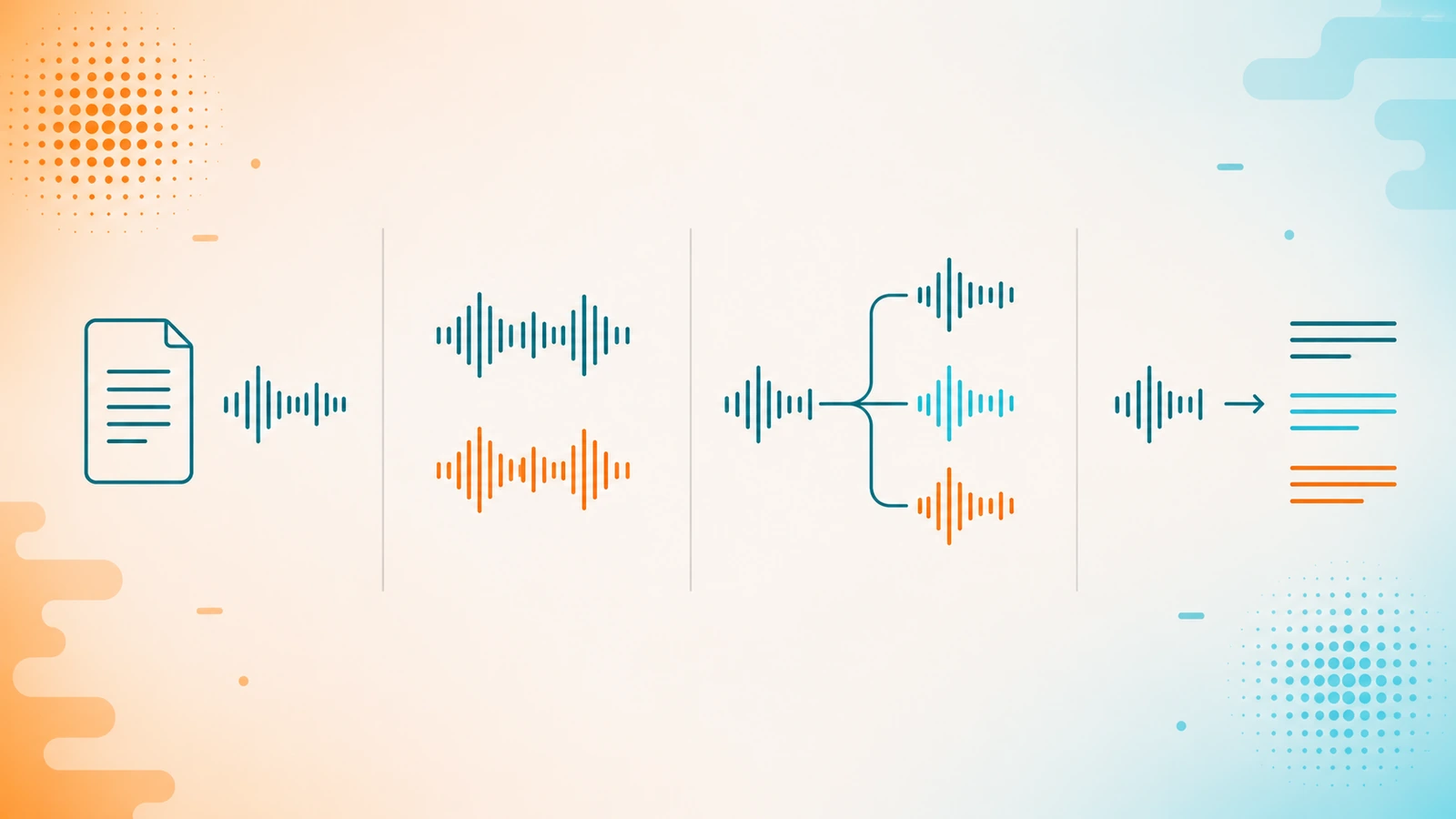
Underneath the term "AI voice" sit four jobs that have nothing in common: narrating a text, cloning a voice, fixing audio you already recorded, and turning audio into text. A tool that is excellent at one may not do the other three. This guide is the framework for deciding, and then the real candidates grouped by job.
The four questions that decide it
1. Are you creating audio, or fixing audio that already exists?
This is the first fork and it rules out half the market. Synthesizing voice from text and cleaning or separating a recording are different technologies with different products. If your problem is that the video's voiceover has an echo, a voice generator is no use to you at all.
2. A catalog voice, or your own voice?
If you need volume and consistency — a hundred product videos, training modules — a catalog voice does the job. If your brand is your voice, or if the content is personal, you need cloning. It is a product decision, not a budget one: the catalog does not turn into your voice by paying more.
And it comes with a condition worth settling before you sign anything: cloning someone else's voice requires their consent. Providers require it in their terms, and some actively verify that consent on their professional plans. If you are going to clone the voice of a voice actor, a partner or an employee, have the permission in writing before you upload the audio.
3. In how many languages, and in what way?
"Multilingual" means two different things. One is a catalog of voices in several languages: you write the text in each language and choose a voice. The other is dubbing: you take a video that already exists and convert it to another language while keeping the voice. If you already have content recorded in Spanish and you want it in English, the second serves you and the first does not.
One important point for Mexico: almost all of these catalogs list "Spanish" without saying which regional accents it includes, and a catalog saying Spanish does not guarantee it sounds like Mexican Spanish. Of the tools in this guide, Murf is the one that explicitly documents Mexican Spanish in its voice library, along with translation and dubbing. We did not verify the Mexican case in the other four — neither for nor against — so the advice still stands: generate a sample with your own script before you pay. It is the only test that counts, and it takes ten minutes.
4. Recorded content, or a live conversation?
A voiceover is produced once and played a thousand times. A voice agent responds in real time to someone calling. It is a separate product category — with latency, telephony and integrations in the middle — and several of these providers present it as a distinct product from their voice generator. If you are going to need both, check how each is charged on the plan you are looking at: do not assume buying one gives you the other.
Group 1 — Narration: turning a script into a voiceover
The most common case: you have the text and you need someone to read it. Product video, e-learning, YouTube, internal training.
- Murf.ai — voice platform oriented toward voiceover production, with its own studio and a text-to-speech API. Its site speaks explicitly to development teams, creators and localization, and it adds video dubbing and translation: it converts a video to another language while syncing the audio to the picture. It is also the option on this list with documented Mexican Spanish. The most "content team with a process" profile: if you are going to produce in series and you want the voiceover to be a repeatable step, this is where it fits.
- LOVO — voice generator with a built-in video editor, Genny, and an image generator on the same platform. Its public pitch is a broad catalog and directable, expressive voices. If your bottleneck is jumping between the voice generator, the editor and the image library, having them together is the argument.
- Acoust — text to speech with voice cloning and a video editor included, with stated use cases in training, YouTube, real estate, ecommerce and social media. Several of its video features are marked beta on its own site, which says as much about its ambition as about its maturity. It is the profile closest to the individual creator who wants a single subscription.
Group 2 — A voice of your own, at scale and in several languages
- ElevenLabs — the broadest surface of the six: text to speech, voice cloning, dubbing, narration, speech to text, music and voice agents, plus an API and SDK. Its own site organizes this into two platforms on the same research base: a creative one and an agent one. If you need more than one of the jobs in this guide, or if you are going to build it into your product rather than use a web interface, it is the obvious starting point. If you only need to narrate one video a month, it is more platform than you are going to use.
Group 3 — Audio you already recorded: separating and cleaning
- LALAL.AI — a different job from all the above: instead of creating voice, it extracts it. It separates a recording into stems — vocals, instrumental, drums, bass, guitar, synth, strings and wind — removes background music, plosives and mic noise, and eliminates echo and reverb. For podcasts, karaoke, remixing or rescuing a badly recorded interview, it is the tool on the list. For writing a script and narrating it, it is not.
Group 4 — From audio to text: transcribing and analyzing at volume
The fourth job: turning hours of recording into text and getting something clear out of it — interviews, calls, sessions. If your volume is moderate, ElevenLabs includes speech to text inside the same platform and will probably sort you out without buying anything else. If the volume is the problem, there is a tool built for exactly that.
- Speak Ai — transcribes and analyzes audio and video, and lets you deploy voice agents grounded in your own data. Its difference is in what it does after transcribing: it extracts fields from each recording — topics, sentiment, scores — so you can review dozens of interviews or calls without listening to them one by one. The cases it publishes are not about content creation but about operations: qualitative research, call review, session processing. It publishes accuracy and language figures we did not verify; those are its own claims. If your world is hundreds of hours of recording and the question is what was said in there, this is the group and this is the tool.
What this list does not tell you
Three deliberate omissions.
There are no prices. We did not verify a dated price for any of the six at its official source, so we publish none. A half-verified price is worse than none: it goes stale without warning and you budget with it.
There is no ranking. Ordering them best to worst would require declared criteria and evidence per criterion for each one. We do not have it. An order without that foundation ends up reflecting what suits whoever published the list.
There is no voice count or language count presented as fact. Every provider publishes its own figures and they vary widely; those are their claims, not our measurements. That is why the recommendation above is to generate your own sample: it is the only verification you can do yourself, free, in ten minutes.
What we did do: check all six against their official site — canonical domain, no affiliate parameters — on July 27, 2026, describe each one only from what appears there, and put the result through a second independent review before publishing it.
Where to go next
If the voice is one piece of a video, the editor matters as much as the voiceover: the full guide is in which AI video tool you need, and several of the tools in this guide already come with their own editor. And if you are going to produce at volume, the decision that will cost you most to change later is not the tool: it is the voice. Choose that one first.
Frequently asked questions
Which is the best AI voice generator?
It depends on what you are going to produce, and be wary of lists that give a number one. Narrating a script, cloning a voice, cleaning a recording and transcribing audio are four different jobs with different tools. Start by defining which of the four is yours; that rules out most of the options before you compare features.
Can I clone my own voice? And someone else's?
Yours, yes: several of these tools offer cloning from an audio sample of you. Someone else's requires their consent: providers require it in their terms and some actively verify it on their professional plans. If you are going to clone the voice of a voice actor, partner or employee, get the permission in writing before you upload the recording.
Do the Spanish voices sound like Mexican Spanish?
Do not assume so. Almost all catalogs list "Spanish" without specifying which regional accents they include. Murf does explicitly document Mexican Spanish in its voice library; in the others we did not verify it, either for or against. The only test that counts is generating a sample with your own script before you pay: in ten minutes you know whether the accent works for your audience.
Is a voice generator any use for removing the music from a song?
No. They are different technologies: creating voice from text and separating the stems of an existing recording are different products. To extract vocals and instruments from already-recorded audio, or to remove noise and echo, you need a stem separation tool, not a generator.
Do I need the API, or is the web interface enough?
If you produce content by hand — a few videos a month — the web interface is enough. The API makes sense when the voice is part of your product or of an automated process: generating audio for every new article, for every customer, or inside your own application. It is the difference between using the tool and building on it.
All six tools were checked against their official site on July 27, 2026; Speak Ai was verified again on July 28, when its site came back online. Yocoya has an affiliate relationship with all six and earns a commission if you buy any of them. We say so you can judge the list with that in hand: it is why we do not order it, do not invent prices, and publish above what we did not verify.