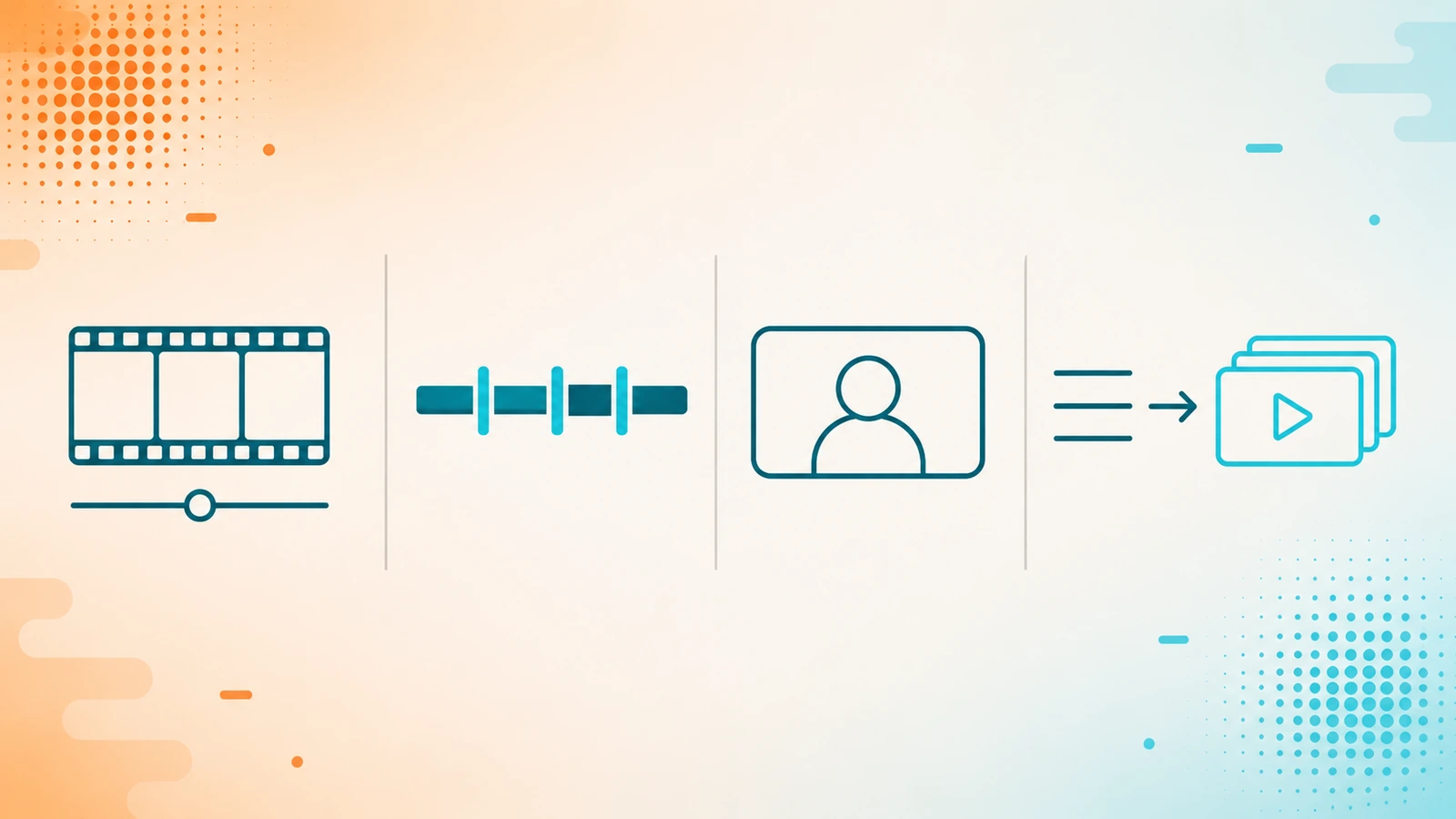
"Which is the best AI video tool?" has no useful answer, because underneath that label live four jobs that have nothing in common. The question that does work is: what are you going to produce, and what material are you starting with?
Editing what you already recorded, cutting a long video into clips, putting a presenter on screen without a camera, or generating the whole video from a text. A tool that is excellent at one of those jobs may not do the other three. This guide is the framework for placing yourself, and then the real candidates grouped by job.
The four questions that decide it
1. Do you have recorded material, or are you starting from scratch?
This is the first fork and it rules out half the options. If you already have footage, interviews or a webinar, you need an editor or a clipper. If you only have a script or an idea, you need a generator. They are different products and almost none of them does both well.
2. Do you need a person on screen?
A lot of corporate and educational content needs a face that talks. If you do not want to record yourself — or cannot do it in ten languages — there is an entire category of avatars that puts a synthetic presenter in front of the camera. If your content does not need anyone on screen, skip that whole category: it is more expensive and slower than the alternatives.
3. Is it one piece, or a hundred?
The question almost nobody asks in time. Producing one video a month by hand is an interface problem. Producing one per customer, per product or per article is an API problem, and there the list shrinks dramatically. Further down is the summary of which have a real API and which do not, because it is the hardest fact to find and the most expensive one to discover late.
4. Who appears, and with whose permission?
If you are going to use the face or voice of a real person — an employee, a partner, a client — get their consent in writing before you upload anything. And assume the responsibility is yours: these platforms' terms tend to place it on whoever uploads the file, and prohibiting something in the terms is not the same as verifying it in the product. OpenArt's, for example, expressly prohibit generating someone's likeness or voice without their permission. Treat it as your own advance paperwork, not as something the provider is going to handle for you.
Job 1 — Editing what you already recorded
- VEED — video editor in the browser, nothing to install: captions, background removal, green screen, lip sync and a set of AI tools for cleaning up footage. It is built for social and marketing creators editing clips they already have. One nuance for anyone thinking about automating: there is API access, but it is offered through a third party (fal.ai), not as its own documented API.
- CapCut — full ByteDance editor on desktop, web and mobile, with AI tools: text to speech, background removal, automatic captions, a converter and a clips feature in beta. It is the most common option for individual creators who want a capable editor with no entry cost. It has no public API, so do not consider it for automated production. Watch out for something that confuses people often: the AI brands linked from its site are separate products, not CapCut.
- Descript — video and podcast editor based on text: when you import or record you get a transcript, and editing that transcript edits the audio and video underneath. You delete a sentence from the text and it disappears from the video. That is its real differentiator against the other two, and why it fits podcasts and interviews so well. It adds an AI agent — script, cuts and B-roll from a prompt — plus sound cleanup, filler-word removal, eye contact correction, green screen, translation and avatars. It is also the only one in this group with its own REST API. It appears here with no commercial relationship: we earn nothing if you buy it, and we include it because the editing group is incomplete without it.
Job 2 — Cutting a long video into clips
- OpusClip — turns long-form content into short vertical clips, adds automatic captions and gives them a virality score so you can decide which to publish; it can also publish straight to the major networks. If you record podcasts, webinars or streams and the bottleneck is turning them into short pieces, this is the category and this is the anchor. It also has its own REST API and an MCP server, which makes it the friendliest option for anyone who wants to automate it.
Job 3 — Putting a presenter on screen without a camera
Avatars that speak your script. Here the choice is not about features but about context: who the video is for and who is going to review it.
- HeyGen — avatar video (digital twin, avatar from a photo, or studio), voice cloning, video translation into several languages and video generation from a prompt. It is the most oriented toward creators, marketing and outreach, and the most accessible for developers: REST API, CLI and MCP, pay as you go with no subscription required. We compare it in depth with Synthesia separately.
- Synthesia — avatars oriented toward the corporate world: training, internal communication and HR content. Its flow starts from templates and importing presentations, and its strongest argument is compliance: security and information management certifications, including SOC 2 Type II, which is exactly what a legal department asks for before approving a tool. It also has a REST API, but available from its mid plans upward, not on the entry one.
A warning about the language figures. You will see "160+ languages" on one side and "30+ languages" on the other, and the subtraction means nothing: the first figure counts avatar and voice languages, the second counts translation languages for an existing video. They measure different things. Both are provider claims and we verified neither.
Job 4 — Generating the video from scratch
From a text, an idea or an article to a finished video, with no prior material.
- Zebracat — turns text, an article or audio into video with an agent that decides the video type, the style, the mood, the voice and the format for you. It is the "one prompt and done" option for faceless content. It also has a REST API and MCP, well documented, so it scales.
- Fliki — text to video with voiceover, with a broad library of voices and languages (figures stated by the provider). Its center of gravity is the voice: it is the natural option if you are coming from a blog or a script and what you need is narration with visuals over it. It mentions a text-to-speech API, but its public documentation is limited, so do not take it for granted if your plan depends on it.
- OpenArt — image and video generation across many different models on a single subscription, with a Director mode that assembles multi-scene narrative video while keeping characters and style consistent. That consistency between scenes is what separates it from the rest of this group: the others generate pieces, this one tries to tell something. It has no public REST API, but it does have an MCP server, so the integration route is through agents. It runs on credits, and it is worth knowing that its free tier is a time-limited trial, not a permanent free plan.
- InVideo — you write the script and the tool generates or finds the visuals, adds AI voiceover, captions and music, and hands you a finished video. It is the most no-code option in the group: built to produce without editing. Two clarifications worth having straight before you buy. First, under the same brand live two different products with separate subscriptions: one for prompt-based generation and another that is a traditional timeline editor; make sure you are buying the one you want. Second, it has no public API, so it is a tool for people, not for automating. In its favor: the agent can be configured to ask for your approval before generating, which is a real cost control when you work on credits.
Going to automate it? Here is what exists
The hardest fact to find on these tools' sites, in one place. If your plan is to generate video from your own system, this rules options out or in before any feature comparison:
- Own REST API: OpusClip, HeyGen, Zebracat and Descript. Synthesia too, from its mid plans upward.
- Agent integration (MCP): OpusClip, HeyGen, Zebracat and OpenArt.
- Through third parties or not well documented: VEED offers access via an external provider; Fliki mentions a voice API with limited public documentation.
- No public API: CapCut, InVideo and OpenArt (OpenArt does have MCP).
What this list does not tell you
There are no prices. The cost of AI video is measured in credits and depends on the model, the length and the resolution, which makes it impossible to summarize in one line without misleading. We are giving it its own guide, with dated numbers.
There is no ranking. Ordering them best to worst would require declared criteria and evidence per criterion. We do not have it, so we group by job and explain how to decide.
The counts are the provider's. Every figure for languages, voices or models you see on their sites is their claim, not our measurement. As with voice, the only test that counts is generating a piece with your own script before you pay.
Where to go next
Voice is the other half of nearly any video: if what you are missing is narration, cloning or cleaning up the audio, that is in the AI voice guide. And if you already know you need an avatar, the direct comparison between the two main options is the natural next step.
Frequently asked questions
Which is the best AI video tool?
It depends what material you are starting with. Editing what you already recorded, cutting a long video into clips, putting an avatar on screen and generating video from text are four different jobs with different tools. Define which is yours and most of the options rule themselves out, before you compare features.
Can I make videos without appearing on camera?
Yes, by two different routes. One is an avatar: a synthetic presenter that reads your script, useful when the format calls for a face. The other is faceless video, where images or generated material accompany a narration. The first is more expensive and slower; if your content does not need anyone on screen, the second is usually the better call.
Can I use someone else's face or voice?
Only with their consent, and get it in writing before you upload any material. Assume the responsibility is yours: these platforms' terms tend to place it on whoever uploads the file, and prohibiting something in the terms is not the same as verifying it in the product. Review the specific terms of the tool you are going to buy before you upload someone else's face or voice.
Do I need an API, or is the application enough?
If you produce a few pieces a month, the interface is enough. The API makes sense when the video is part of a process: one per customer, per product or per published article. It is the difference between using the tool and building on it, and it is worth verifying before you buy because several of these tools have no public API.
Do these tools work in Spanish?
All of them claim multilingual support, but the figures they publish measure different things — avatar and voice languages in some cases, translation languages in others — and are not comparable to each other. We verified none of those figures. Generate a short piece with your own script before you pay: in ten minutes you know whether the result sounds and looks the way your audience expects.
All ten tools were checked against their official sites and documentation on July 27, 2026, and the review was independently verified before publishing. Yocoya has an affiliate relationship with nine of them and earns a commission if you buy any; Descript appears with no commercial relationship and we earn nothing if you buy it. We say so you can judge the list with that in hand: it is why we do not order it, do not publish prices, and flag above what we did not verify.